
Key Takeaways
A Ford key fob battery replacement is usually a simple repair when the fob casing and electronics are still in good condition. The right battery, careful handling, and a few practical tests can prevent a small issue from becoming a lockout.
- Confirm the battery number and polarity before opening the fob.
- Work on a clean, dry surface so small parts do not get lost.
- Use a gentle pry tool and avoid bending the battery contacts.
- Test every button and the vehicle’s recognition system afterward.
- Seek professional help when the fob remains dead, damaged, or unprogrammed.
Identify your Ford key fob and battery type
Ford key fobs vary by model year and equipment, so the outside shape is not enough to identify the correct battery. Some have a removable mechanical key, while others open through a seam or a small battery cover. Before buying anything, compare the fob with the vehicle manual or the marking on the old coin cell. This guide is also a useful companion to a broader Ford key battery guide when you want to compare common replacement steps.
Common Ford key fob designs and model variations
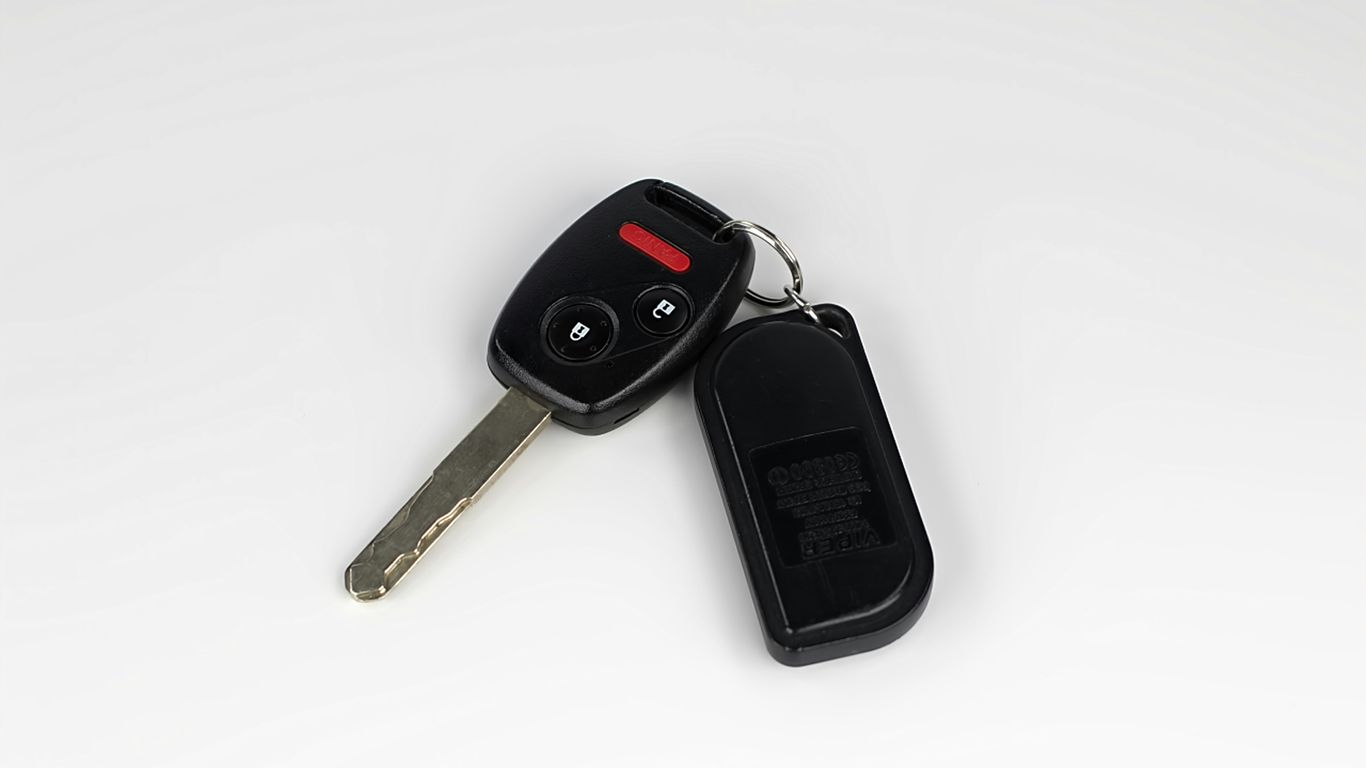
A traditional remote may have separate lock, unlock, trunk, and panic buttons, while a remote-head key combines those controls with a folding or fixed metal blade. A smart key may have no obvious key blade on the outside, yet still contain an emergency mechanical key inside. The opening point and internal layout can differ even between vehicles from the same manufacturer.
Look for a release slider, a narrow split around the housing, or a small notch intended for a flat screwdriver. Do not force a seam simply because it appears easy to open. If the casing is cracked, loose, or badly worn, a shell repair may involve preserving the circuit board and transponder rather than only changing the battery; a damaged key shell guide explains that distinction.
How to find the correct battery number
Remove the old battery only after you have photographed its position, then read the number printed on its face. Common coin-cell numbers include CR2032, CR2025, and CR2450, but the correct choice depends on the specific fob. A battery that fits loosely or has the wrong thickness can create unreliable contact.
Use the owner’s manual, the fob’s existing battery, or a reputable parts listing matched to the vehicle year and model. Do not substitute based only on diameter. The number identifies both the size and the intended electrical characteristics of the cell.
Signs that the battery is weak or dead
A weak battery often shows itself gradually. The remote may work only when you stand close to the vehicle, respond after repeated presses, or operate with a noticeable delay. Eventually, the buttons may stop producing any response.
These symptoms point toward the battery, but they are not proof. Try the fob from another position and compare it with a spare if one is available. If the vehicle’s own battery is weak, electronic locking and key detection may also behave strangely.
When the problem may not be the battery
A new battery will not repair a cracked circuit board, corroded contacts, a damaged button pad, or a receiver problem in the vehicle. Moisture and repeated drops can also loosen internal parts. If the fob was recently wet, remove the battery and let the unit dry completely before testing it again.
The vehicle may also have lost synchronization with the remote, particularly after an electrical fault or other repair. For a useful decision path covering battery, physical damage, and synchronization concerns, see this key fob troubleshooting guide. Do not keep replacing batteries when the evidence points to an electronic fault.
Gather the right tools and prepare your workspace
Preparation makes the job calmer and reduces the chance of losing a spring, contact, or small plastic piece. Set up at a table rather than on a car seat or your lap. A bright lamp and a shallow tray can make a surprising difference.
The goal is not to handle the fob more than necessary. Open it slowly, keep the circuit board away from moisture, and take a photo before moving anything. That simple reference can prevent an orientation mistake during reassembly.
Batteries, screwdrivers, and other useful tools
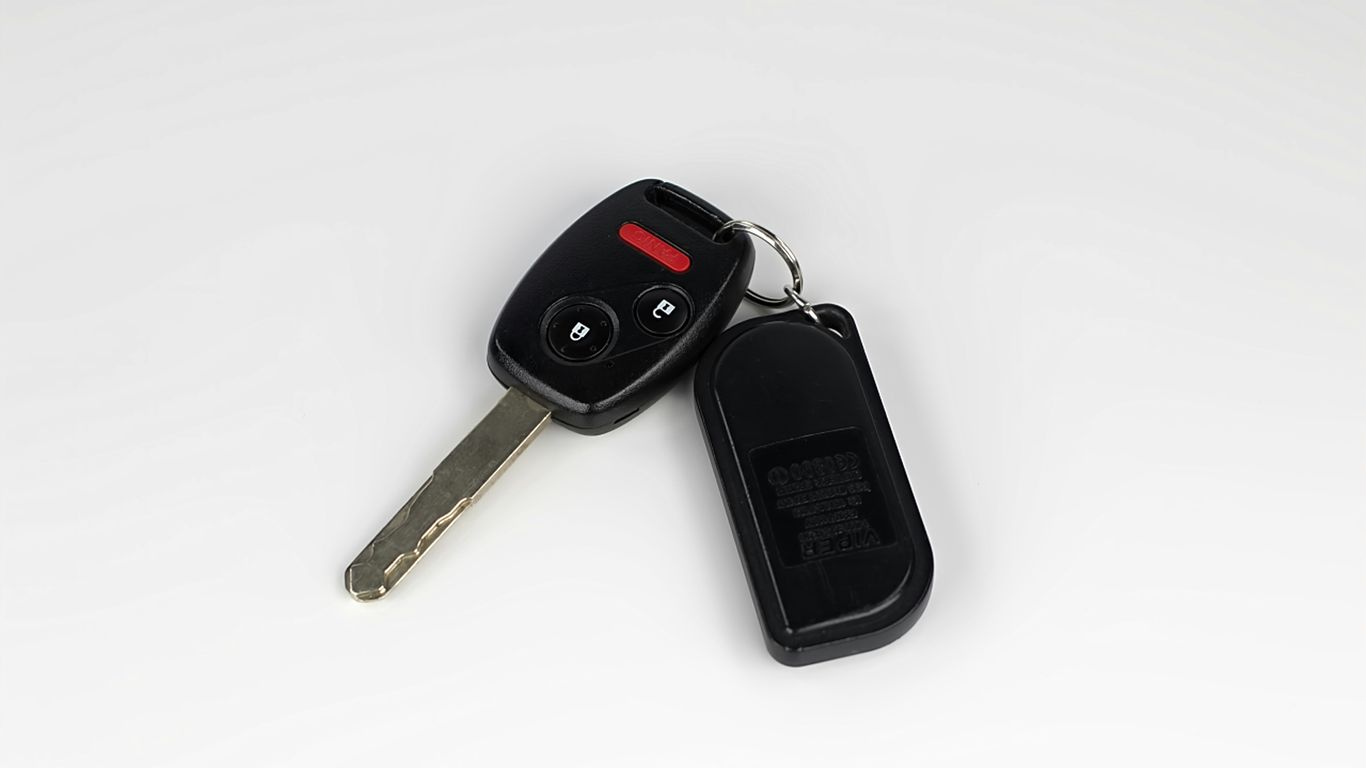
Use a new battery with the exact number required for the fob and a small flathead screwdriver or plastic pry tool. A precision screwdriver may be needed if the housing uses a screw. A lint-free cloth, tweezers, and a small container for loose parts are also helpful.
Keep the tool tip narrow enough to enter the intended notch, but not so sharp that it gouges the plastic. The Ford battery change steps provide another quick reference for the basic tools and preparation.
How to protect the circuit board and transponder
The circuit board is delicate, and the transponder may be a separate small component inside the housing. Hold the board by its edges and avoid pressing directly on electrical components. If the casing is being replaced rather than merely opened, photograph the board and transponder before transferring either one.
The transponder’s position matters to the vehicle’s immobilizer system. A battery change normally leaves it alone, but an accidental drop or shell transfer can move it. Keep every original component in the same orientation unless the relevant service instructions say otherwise.
Safe handling tips for small key fob components
Coin-cell batteries, rubber button mats, metal contacts, and springs are easy to misplace. Organize them before opening the fob, and do not pry under a component that is still held by a clip. If a button pad lifts out, set it aside face-up so you can return it correctly.
A short checklist helps keep the work controlled:
- Photograph the closed fob and the inside before removing parts.
- Keep the old battery separate from the new one.
- Place screws and loose contacts in a small tray.
- Work away from children and pets because coin cells are hazardous if swallowed.
After this setup, the actual replacement should involve only a few deliberate movements. If you discover a broken clip or missing part, pause instead of forcing the case together.
Precautions for static, moisture, and damaged casings
Work with clean, dry hands and keep drinks away from the table. Avoid rubbing the circuit board against fabric or carpet, and do not use a hair dryer to dry a wet fob. Excessive heat can deform the housing and harm the electronics.
A severely cracked casing may not hold the battery firmly after reassembly. In that situation, the problem is no longer just a battery swap. A professional can determine whether the shell, contacts, board, or transponder needs attention.
How to replace a Ford key fob battery
Once the battery number and work area are ready, the replacement itself is usually straightforward. Move slowly around the casing and keep the old battery available until the new one is installed. The most common mistakes are using the wrong cell, reversing its polarity, or bending the contacts.
Do not assume that every Ford fob opens in the same place. The steps below describe the process in a general way; use the fob’s visible release points and manual when its design differs.
Remove the mechanical key or battery cover
If the fob has a removable mechanical key, press its release and slide the blade out. This may reveal the notch used to separate the housing. On another design, the battery cover may lift or slide away without removing a blade first.
Set the mechanical key aside where it cannot fall into the work area. Do not twist it as a pry tool; the blade or release mechanism can be damaged.
Open the key fob without damaging the housing
Insert the flat tool into the intended notch or seam and apply light, even pressure. Work around the edge rather than trying to split one point with force. A plastic pry tool is preferable when available because it is less likely to leave deep marks.
Listen for the retaining clips to release. If the seam will not move, stop and look for a hidden screw or a second release point. Gentle pressure protects the housing and makes it more likely that the case will close tightly later.
Take out the old battery and note its orientation
Before lifting the coin cell, note which side faces up and how the metal retaining clip holds it. In many fobs, the positive side is visible, but do not rely on that assumption. Take a close photo if the marking is difficult to read.
Release the battery from the edge rather than levering against the circuit board. Keep the old cell away from the new one, and recycle it through an appropriate battery collection point where available.
Install the new battery with the correct polarity
Place the replacement cell into the holder in the same orientation as the original. Slide one edge under the retaining lip if necessary, then press it down gently until it sits flat. The battery should not wobble, and the contacts should touch it without being flattened.
If the fob seems dead afterward, remove the cell and inspect the contacts before assuming the new battery is defective. A terminal that has shifted out of its slot can prevent power transfer even when the battery is fresh.
Snap the key fob back together securely
Align the two halves of the housing and press around the perimeter until the clips engage. Reinstall the battery cover and mechanical key, if applicable. The seam should sit flush without a visible gap or a loose corner.
Do not clamp the case shut if a button feels trapped or the halves resist alignment. Open it again and check the rubber pad, board, battery, and contacts. A forced closure can crack the housing or leave the buttons unable to move.
Test the replacement battery and key fob
Testing should happen before you put the key away or leave the work area. Check the remote close to the vehicle first, then try it from a normal distance. A methodical test helps distinguish a battery problem from a button, signal, vehicle battery, or programming problem.
Keep the mechanical key available during the first test. If the remote does not respond, it gives you another way to access the vehicle while you investigate.
Check the lock, unlock, trunk, and panic buttons
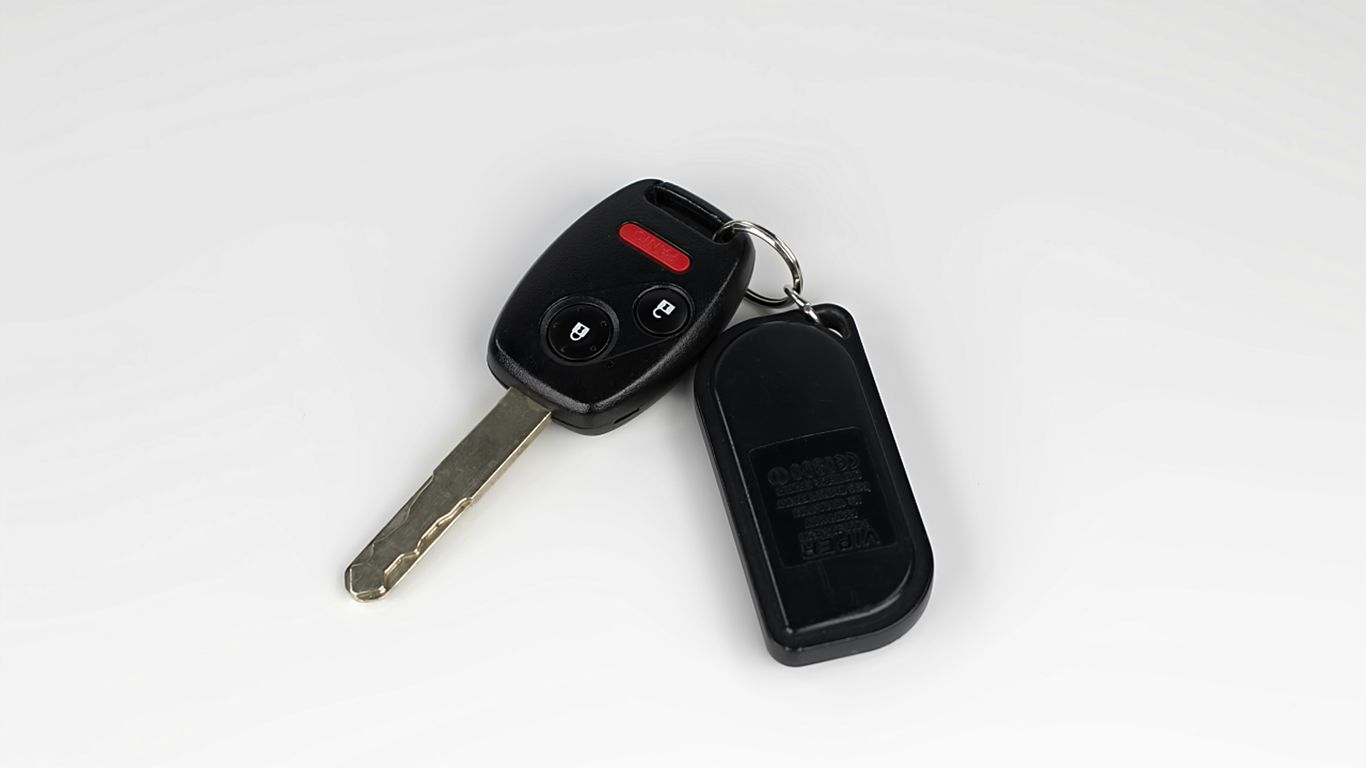
Press each available button once and watch for the expected vehicle response. Check lock, unlock, trunk, and panic functions separately rather than holding several buttons at the same time. Confirm that the buttons feel springy and return to their normal position.
If only one button fails, the issue may be the rubber pad, switch, or circuit board rather than the battery. If every function is weak, revisit the battery seating and polarity first.
Test the operating range near the vehicle
Begin a few feet from the vehicle and then move farther away. You are looking for consistent response, not a precise universal distance, because surroundings and vehicle systems affect range. Test from more than one angle if the first position produces an uncertain result.
A remote that works only in one spot may be affected by interference or a vehicle-side receiver issue. A remote that improves immediately with a fresh battery was more likely suffering from low power.
Confirm that the vehicle recognizes the key
If the fob includes an immobilizer or is used with a push-to-start system, confirm that the vehicle recognizes it according to the vehicle’s normal starting procedure. A remote can lock and unlock doors while a separate transponder or smart-key issue prevents starting.
Do not keep trying to start the vehicle if warning messages appear or the key is not detected. Record the message and use the mechanical key or backup procedure described in the owner’s manual.
What to do if the key fob still appears dead
First, reopen the fob and check the battery number, polarity, seating, and metal contacts. Then try a second known-good battery if one is available. Inspect for corrosion, water marks, a damaged button, or a board that has shifted in the housing.
If the fob remains unresponsive after those checks, stop experimenting with repeated battery changes. Double Quick Locksmith can assess the remote at your location, including battery and signal concerns, when a basic replacement has not solved the problem.
Determine whether Ford key fob reprogramming is necessary
A routine battery change normally does not erase the remote’s programming. The fob’s identity and the battery that powers its buttons are separate parts of the system. That is why many owners can replace the cell and return to driving without any additional setup.
Still, not every no-response condition is a battery issue. The vehicle, remote, and immobilizer may require separate testing when the key is not recognized after the replacement.
Why a routine battery change usually preserves programming
Changing the coin cell supplies power to the remote but does not ordinarily replace its stored identity. If the fob was working before the battery became weak, it will often continue working after the new cell is installed correctly.
Avoid pressing buttons repeatedly while the case is open. A careful replacement protects the contacts and reduces the chance of disturbing the board or button mat.
Situations that can cause synchronization problems
Synchronization concerns are more likely after a damaged fob, an electrical fault, a long period without power, or work involving the vehicle’s security system. Signal interference can also make a working remote appear unreliable in one location.
A dead vehicle battery can create similar confusion. If no remote responds and the vehicle has other electrical symptoms, test the vehicle battery before concluding that every fob needs programming.
How to resync certain Ford remotes
Some older remote systems have an owner-accessible synchronization sequence, but the exact sequence depends on the vehicle and model year. Use the owner’s manual rather than a generic sequence found for another Ford model. Keep the doors closed or follow the stated conditions precisely if the manual provides a procedure.
If the sequence does not work, repeated attempts are unlikely to repair a damaged board or receiver. At that point, a technician can test the remote’s signal and determine whether resynchronization is appropriate.
When smart keys and push-to-start systems need professional programming
Smart keys and push-to-start systems can involve proximity detection, immobilizer authorization, and vehicle-specific programming. If the car displays a key-not-detected warning after a battery change, the cause may be the fob, the vehicle battery, the receiver, or programming.
For lost keys, a missing transponder, or a smart key that will not pair, professional equipment is often the safer route. Double Quick Locksmith provides mobile programming and key services at the vehicle’s location, including work on Ford transponder and smart-key systems as described in its Ford key services.
Troubleshoot common Ford key fob battery replacement problems
A replacement battery solves many weak-remote complaints, but the result also depends on the physical condition of the fob and the vehicle. Troubleshoot one variable at a time. Start with the simple checks, then move toward signal testing or programming only when the evidence supports it.
Keep notes about what changed after each test. That information is useful if a technician needs to diagnose the fob later.
The buttons work intermittently after installation
Intermittent response often points to a loose battery, a weak contact, a worn button pad, or a cracked solder joint. Open the housing and verify that the coin cell sits flat and the contacts press against it firmly without excessive force.
If pressing the case changes the result, the housing or internal alignment may be part of the problem. A fresh battery cannot compensate for a switch or board that is physically failing.
The battery drains again shortly after replacement
A second rapid failure may result from a poor-quality or incorrect battery, constant button pressure, dirty contacts, or a fault that keeps the circuit active. Check whether a button is stuck beneath the housing before installing another cell.
Keep the fob away from direct sun and moisture when possible. If new batteries repeatedly fail, have the fob tested rather than treating the symptom indefinitely.
The key fob case will not close properly
A case that will not close usually has a misaligned battery, button mat, board, contact, or mechanical key component. Open the shell again and compare the layout with your photograph. Check the perimeter clips for damage before applying pressure.
Never use excessive force to make the halves meet. A gap can let in moisture, while a cracked clip may leave the battery loose and create intermittent operation.
The vehicle does not detect the key fob
First verify that the coin cell is correct and installed with the right polarity. Then check the vehicle battery and try the backup starting or access procedure. If the remote locks the doors but the vehicle will not detect the key for starting, the immobilizer or smart-key side may need attention.
A professional can separate signal, programming, and vehicle-receiver faults. For more context on electronic keys and why some situations require specialized equipment, see this smart key replacement guide.
When to replace the fob or call a mobile locksmith
Replacement is sensible when the board is badly damaged, the casing cannot retain the battery, the fob is lost, or the transponder is missing. It is also wise to ask for help when the vehicle will not recognize a known-good key after the battery and contacts have been checked.
Double Quick Locksmith offers 24/7 mobile service for key fob diagnostics, replacement, and programming, so a technician can work at the vehicle rather than requiring a tow. Before calling, have the vehicle location, model year, and any warning message ready; a quick key assessment can help you decide the next step.
Conclusion
A Ford key fob battery replacement is often a manageable home repair: identify the exact coin cell, preserve the original orientation, install it without bending the contacts, and test every function. When the fob remains unreliable or the vehicle cannot recognize it, the problem may involve damage, synchronization, programming, or the vehicle itself, and careful professional diagnosis is the better next move.
Frequently Asked Questions
How often should a Ford key fob battery be replaced?
There is no single interval for every fob. Replace it when range decreases, buttons respond slowly, or the vehicle reports a low-key-battery warning, and keep a correctly matched spare cell available.
Can I replace a key fob battery myself?
Many standard remote fobs can be opened and serviced at home with a small screwdriver and the correct coin cell. Use the vehicle manual when the housing design or battery location is unclear.
Which battery does a Ford key fob use?
The number varies by fob and vehicle. CR2032, CR2025, and CR2450 are examples of coin cells used in some designs, but the marking on the old battery or the owner’s manual should determine the replacement.
Does changing the battery erase key fob programming?
A normal coin-cell replacement generally does not erase the fob’s stored programming. If the vehicle does not recognize it afterward, check polarity and contacts before considering synchronization or programming.
What if the key fob works only when I am close to the car?
Short range commonly suggests a weak battery, but interference, a damaged antenna, or a vehicle-side receiver problem can produce similar symptoms. Test with a fresh, correctly installed battery and compare results from different locations.
Can a dead key fob still start the vehicle?
Some vehicles provide a backup starting method for a fob with a depleted battery, while others require a specific placement or procedure. Consult the owner’s manual and keep the mechanical key available for entry.
When should I call a locksmith for key fob trouble?
Call when the fob is lost, physically damaged, repeatedly drains batteries, cannot be synchronized, or is not detected after basic checks. Professional testing can identify whether the issue is the remote, programming, or the vehicle’s receiving system.