
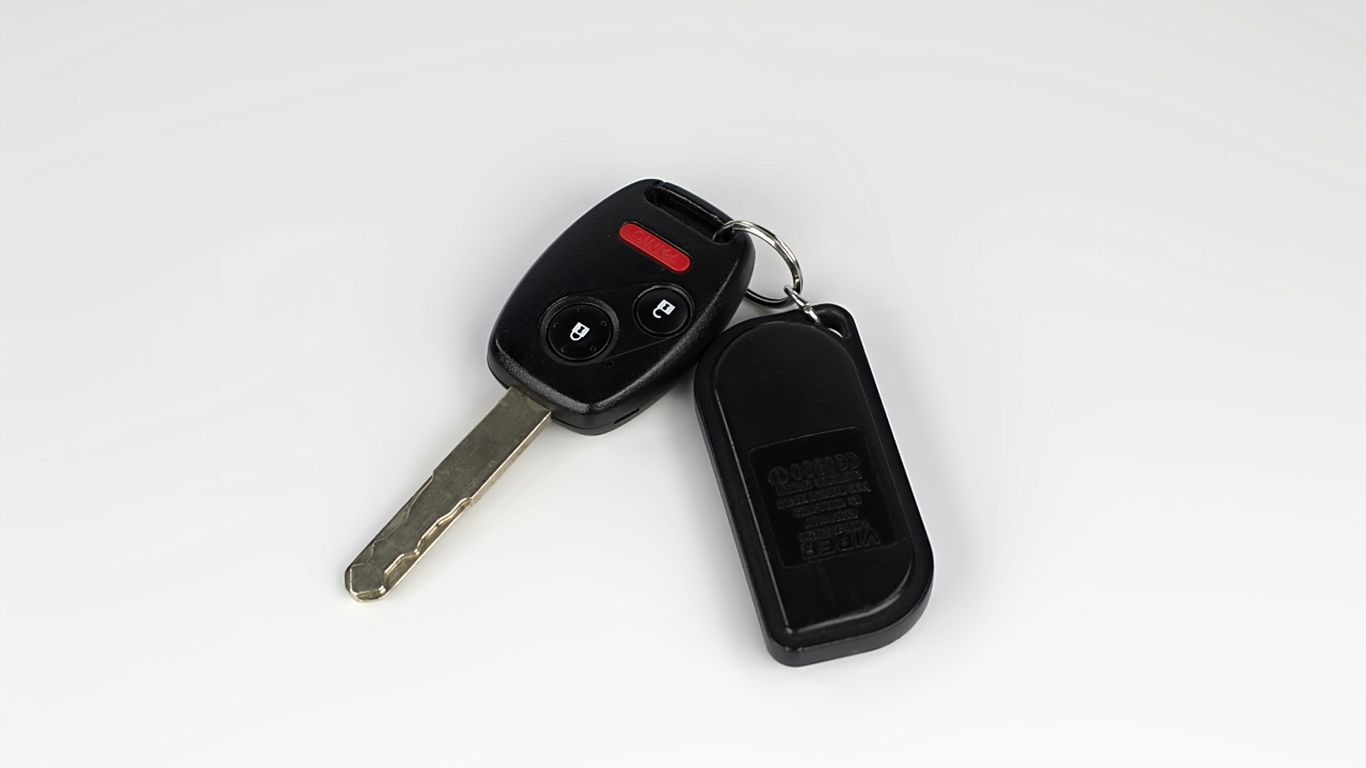
Key Takeaways
A key fob not working is often caused by a weak battery, interference, moisture, or a vehicle-side fault rather than a major failure. Start with the simple checks, then move to programming or professional help if the problem continues.
- Replace the coin-cell battery with the exact type recommended for the fob.
- Test the fob from different distances, angles, and locations.
- Check for worn buttons, cracks, corrosion, and water exposure.
- Use the mechanical key if the vehicle battery or receiver may be at fault.
- Call a mobile locksmith when replacement, testing, or programming is needed.
Start with quick key fob troubleshooting
Before taking the fob apart, establish exactly what has stopped working. Does the vehicle fail to unlock, or does it unlock but refuse to start? A few controlled tests can separate a weak remote from a vehicle-side or programming problem. The key fob troubleshooting guide is also a useful reference if you want to compare symptoms as you work through these checks.
Check whether the vehicle responds at all
Stand close to the vehicle and press lock, unlock, and any other available buttons one at a time. If one function works while another does not, the issue may be a worn button or a damaged circuit path rather than a completely dead fob. If nothing happens, check whether the fob has a small indicator light and whether it illuminates when pressed.
Test the fob from different locations and angles
Move a few feet closer, then try the fob from the front, rear, and sides of the vehicle. A remote that works only at very short range may have a weak battery, while one that works in one place but not another may be affected by interference. Changing your position is a quick way to avoid mistaking a local signal problem for a failed fob.
Try the spare key fob if one is available
A spare is one of the most useful diagnostic tools because it gives you a direct comparison. If the spare works normally, focus on the original fob’s battery, buttons, housing, or programming. If neither fob works, the vehicle, its receiver, or its main battery deserves attention instead.
Look for dashboard warning messages
If the doors respond but the car will not start, read the dashboard carefully for messages such as a key-not-detected or immobilizer warning. Those messages can point toward programming, proximity detection, or a vehicle-side issue. Do not keep pressing the fob repeatedly if the vehicle is also showing signs of low electrical power; test the car battery next.
Replace and inspect the key fob battery
A weak or dead coin cell is the most common starting point when a key fob suddenly becomes unreliable. Many fobs use a battery such as a CR2032 or CR2025, but the correct number varies by model. Open the case carefully, keep the small parts together, and avoid forcing a seam that does not seem designed to open.
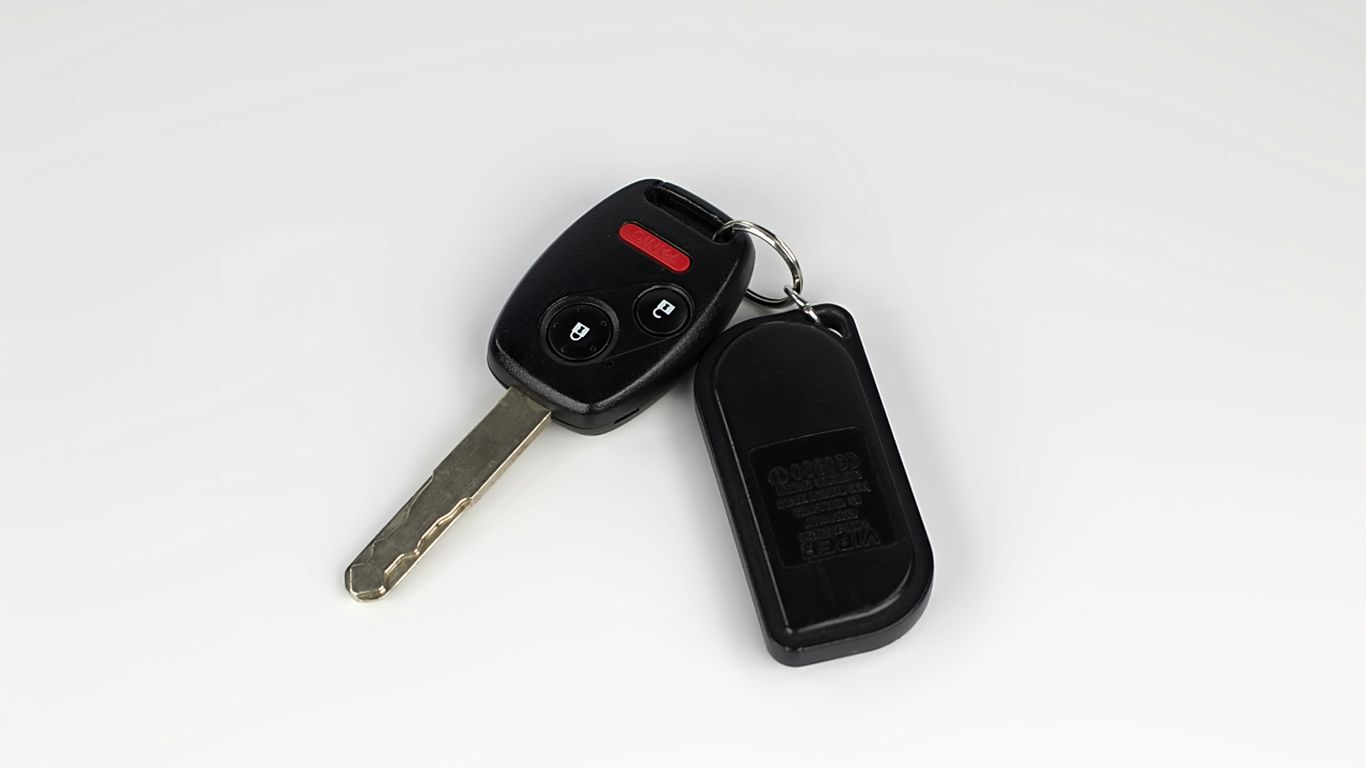
Identify the correct coin-cell battery
Read the number printed on the old battery or check the vehicle owner’s manual before buying a replacement. Batteries that look nearly identical can have different thicknesses, so a close substitute may not sit correctly in the contacts. If the old marking is unreadable, photograph the inside of the fob and confirm the specification with a parts supplier or locksmith.
Install the battery in the right orientation
Note which side of the old battery faces upward before removing it. In most cases, the positive side is marked with a plus sign, but the battery holder and fob design determine the correct position. Close the housing fully before testing, since a loose case can prevent the battery from pressing firmly against its contacts.
A simple reference can help when the battery number is easy to confuse:
| Battery marking | Common use | What to verify |
|---|---|---|
| CR2032 | Many modern remote fobs | Thickness and polarity |
| CR2025 | Some slimmer fob housings | Manufacturer specification |
| Other coin cell | Model-specific designs | Manual or original marking |
After installation, test every button from close range and then from normal parking distance. If the fob works only intermittently, do not assume the new battery is defective; dirty contacts, a loose holder, or internal damage may still be limiting the signal.
Clean dirty or corroded battery contacts
Remove the battery again and inspect the metal contacts for dirt, discoloration, or white-green corrosion. A small amount of isopropyl alcohol on a cotton swab can help clean light residue, but do not soak the circuit board or scrape aggressively. Bent contacts may need careful professional repair rather than more pressure from a screwdriver.
Know when a new battery does not solve the problem
If a fresh, correctly installed battery changes nothing, the fault may be in the buttons, circuit board, transmitter, vehicle receiver, or programming. A fob that previously worked only from close range may also have been warning you about a deeper problem. At this point, testing the spare and checking the vehicle’s battery will usually be more useful than installing several more coin cells.
Check for physical damage or moisture
Key fobs spend their lives in pockets, bags, cup holders, and hot vehicles, so their housings and electronics take a surprising amount of abuse. A drop can crack the shell or loosen a component, while rain, humidity, sweat, or saltwater can corrode the circuit board. Look beyond the buttons and inspect the seams, battery compartment, and contact points.
Inspect worn buttons and a cracked housing
Buttons that feel soft, stay depressed, or work only when pressed at an angle may have worn internal contacts. A cracked shell can also let in dust and moisture, even if the remote still looks usable from the outside. If the electronics are intact, a shell replacement may be possible, but transfer small components carefully and do not lose the transponder chip in a key with an immobilizer system.
Look for signs of water or saltwater exposure
Open the fob if the design allows it and look for moisture, cloudy residue, corrosion, or darkened metal. Saltwater is especially troublesome because it continues attacking contacts after the outside appears dry. If the fob was dropped in the ocean, exposed to heavy rain, or left in a damp bag, treat it as wet even when there is no visible pool of water.
Dry a wet fob safely before testing it
Remove the battery as soon as possible and wipe the exterior with a clean towel. If saltwater entered the case, a brief rinse of the opened interior with clean fresh water can remove salt residue, after which every component should air-dry thoroughly. Avoid hair dryers, ovens, radiators, and other direct heat sources because they can warp plastic or damage delicate electronics.
For a wet fob, the safest sequence is usually:
- Remove the battery before pressing more buttons.
- Separate the housing if it can be opened without force.
- Wipe away surface moisture and inspect for residue.
- Let the parts air-dry fully before installing a new battery.
Once the fob is completely dry, test it with a new battery. If it remains unresponsive, corrosion may already have affected the circuit board, and repeated testing can do little to restore it.
Decide whether the shell or electronics need replacement
A damaged shell, worn buttons, or broken key-ring loop does not always mean the electronic part is unusable. A professional can determine whether the original board and transponder can be moved into a replacement shell. If the board is cracked, corroded, or missing, full replacement and programming may be the more reliable route.
Rule out vehicle-side problems
Sometimes the fob is transmitting normally and the vehicle is the part that cannot respond. A weak car battery can stop electronic locks from responding, while a failed receiver can prevent the vehicle from recognizing any fob. Check the car before assuming the remote needs replacement.
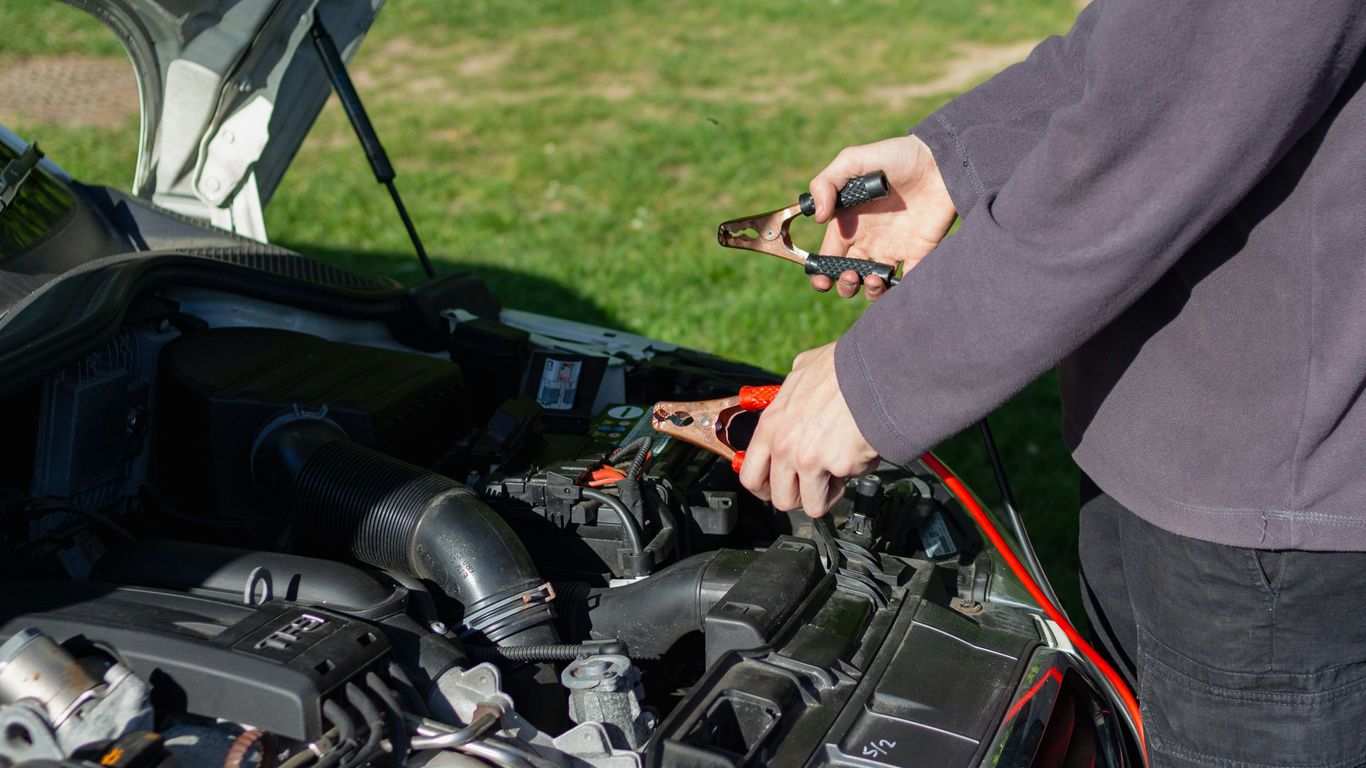
Test the vehicle’s main battery
Try the headlights, interior lights, horn, and instrument cluster. Dim lights, clicking, or no electrical response suggest that the vehicle battery may be drained or weak. If the car starts after a jump, the original fob may have been fine; have the battery and charging system checked rather than replacing the remote immediately.
Use the mechanical key to access the car
Many fobs contain a concealed metal key that releases with a small latch or slider. Use it to unlock the driver’s door when the electronic buttons do nothing. Some vehicles hide the key cylinder beneath a trim cover, so check the owner’s manual instead of prying at painted panels.
If you are unsure how to gain entry without damage, these safe car lockout steps can help you decide what to try and when to call for assistance. Keep identification and registration available if an alarm sounds after mechanical entry.
Understand how a faulty receiver affects the fob
The vehicle has an internal receiver that listens for the fob’s programmed signal. If that receiver fails, even a working fob may appear dead, and a second working fob will usually fail in the same way. A locksmith can test the remote before you pursue more involved electrical diagnostics on the vehicle.
Separate a fob problem from an ignition or immobilizer issue
Unlocking the doors and starting the engine are related but not identical functions. A vehicle may recognize the remote for entry while still showing an immobilizer warning or refusing to keep the engine running. If the ignition is jammed, the key will not turn, or the dashboard reports a security fault, stop forcing the key and have the ignition and immobilizer system assessed.
Determine whether the key fob lost its programming
A key fob communicates with the vehicle through a programmed signal. Low battery power, an electrical glitch, or random interference can sometimes leave the vehicle unable to recognize that signal, even when the buttons and housing look normal. Programming problems are less suitable for trial-and-error fixes because the exact process varies by vehicle.
Recognize signs of a lost or corrupted signal
Possible clues include a fob that suddenly stops working after previously operating normally, a vehicle that says the key is not detected, or a remote that works inconsistently despite a new battery. If the spare works, the original may need attention. If neither remote is recognized, investigate the vehicle receiver or electrical system as well.
Understand the difference between syncing and programming
Syncing generally refers to restoring communication between an existing remote and the vehicle. Programming can involve adding a replacement key, registering a transponder, or pairing a smart key with the vehicle’s security system. The terms are sometimes used loosely, so ask what procedure is actually required before accepting an estimate.
Consider vehicle-specific reprogramming requirements
Some vehicles allow limited owner procedures, while others require specialized diagnostic equipment and security access. The vehicle year, model, key type, and whether another working key is available all affect the process. A generic sequence found online may not apply and can leave the vehicle in the same condition or create additional confusion.
Avoid programming mistakes with smart keys and push-to-start systems
Do not assume a smart key works like a simple remote. Push-to-start systems may require the fob to be placed in a designated backup position when the battery is weak, and replacement keys may need separate registration. Double Quick Locksmith provides fob reprogramming and re-syncing for existing keyless entry remotes, proximity fobs, and smart keys, with service performed at the vehicle’s location.
Reduce signal interference and environmental problems
A fob can work perfectly in one location and fail in another when nearby electronics or metal structures disrupt the signal. Large parking structures, dense Wi-Fi environments, and other electronic equipment can create confusing symptoms. Test in a more open area before paying for replacement parts.
Identify buildings, electronics, and metal structures that interfere
Try moving away from concrete walls, metal doors, large vehicles, and clusters of electronics. Hold the fob away from a phone, tablet, or other wireless device and test again. If the vehicle responds after you change position, the original problem may be environmental rather than a damaged transmitter.
Test the fob away from crowded parking areas
Take the fob several feet away from the busiest part of a parking garage or lot, then approach the vehicle from a different angle. A change in performance between locations is a strong clue that interference is involved. The common signal interference tips offer another way to compare this symptom with battery and contact problems.
Protect the fob from heat, humidity, and direct sunlight
Do not leave the fob on a dashboard or inside a parked vehicle in direct sun. Heat can weaken the battery and speed the breakdown of internal electronics, while humidity and salt air can affect contacts over time. Replacing the battery about once a year may prevent some sudden failures, particularly when the fob already shows reduced range.
Use a protective case or waterproof pouch
A protective case can reduce damage from drops, scratches, and ordinary moisture. For beach days, boating, swimming, or paddleboarding, place the fob in a waterproof pouch or dry bag rather than relying on a pocket. Keep a spare fob somewhere safe as well, but never hide a proximity fob on the vehicle where it could be detected.
Know when to use a locksmith or dealership
If the battery, physical condition, vehicle battery, and environment all check out, professional diagnosis is the sensible next step. A locksmith can test the fob, identify whether it is transmitting, and determine whether repair, replacement, or programming is needed. Double Quick Locksmith offers 24/7 mobile locksmith service in Honolulu and comes to the vehicle’s location for on-site automotive work.
Choose mobile locksmith service for on-site help
Mobile service is useful when the car cannot start, the only fob is failing, or towing would add time and expense. A technician can work where the vehicle is parked and assess the key and vehicle together. For a lockout or urgent replacement, you can request mobile key help rather than trying to force a door or drive with an unreliable key.
Compare locksmith and dealership replacement options
A dealership may be the right choice when a vehicle is under warranty, involved in a factory campaign, or requires manufacturer-only security authentication. A qualified mobile locksmith may be more convenient for many replacement, diagnostic, and programming situations, especially when the vehicle cannot be transported easily. Compare the total estimate, including parts, programming, travel, towing, and the number of keys supplied.
Prepare the vehicle and ownership information
Have the vehicle’s year, make, model, VIN if available, location, and current key ready when you call. Photo identification and proof of ownership or registration may also be required before key service. Explain whether the fob is lost, damaged, intermittently working, or still able to unlock the doors so the technician can bring the appropriate equipment.
Get replacement, programming, or deactivation service safely
Ask whether the service includes cutting, programming, testing, and deactivating a lost key if necessary. The replacement should be checked against the locks, ignition, alarm, and starting system before the technician leaves. If you still have one working key, consider making a spare before the remaining key fails; that is usually less stressful than replacing the only programmed key during an emergency.
Contact a Locksmith Today
When a key fob still will not work after basic checks, contact Double Quick Locksmith for mobile diagnosis, replacement, or programming at your vehicle’s location. Have your vehicle details ready, describe the symptoms clearly, and ask for an estimate before service begins.
Conclusion
A key fob not working does not automatically mean the entire system has failed. Start with the battery and a simple range test, then inspect for damage, moisture, vehicle battery problems, interference, and programming issues. When the cause is unclear or the vehicle is stranded, professional mobile help can restore access without unnecessary towing or guesswork.
Frequently Asked Questions
Why is my key fob not working after I changed the battery?
The battery may be the wrong type or installed backward, or the contacts may be dirty or loose. The fob could also have internal damage, lost programming, or a vehicle-side receiver problem.
How do I know whether the key fob battery is dead?
Reduced operating range, delayed responses, intermittent buttons, and a dim or absent indicator light can point to a weak battery. A fresh battery and a comparison with a spare fob can help confirm it.
Can a wet key fob be repaired?
Sometimes, especially when the battery is removed quickly and the fob is dried completely. Saltwater and prolonged moisture can corrode the circuit board, so a fob that remains unresponsive may need professional testing or replacement.
Can I start my car if the key fob battery is dead?
Many vehicles have a backup detection position or a mechanical key for entry, but the exact method varies. Check the owner’s manual for the designated placement and emergency starting procedure.
Why does my key fob work in one place but not another?
Nearby electronics, Wi-Fi equipment, large metal structures, and crowded parking areas can interfere with the signal. Move to an open area and test the fob from another angle before replacing it.
Does a replacement key fob always need programming?
Modern transponder, proximity, and smart keys commonly need to be registered to the vehicle. The required process depends on the vehicle and key type, so a generic remote battery change is not the same as programming.
Should I use a locksmith or a dealership for a failed key fob?
Choose based on the vehicle’s warranty, security requirements, location, urgency, and total cost. A mobile locksmith can be convenient for on-site diagnosis and many replacement or programming jobs, while some manufacturer-specific situations may require the dealership.